
What an execution plan is for
We write a query to state the result we need. SQL Server must still decide how to locate, combine, and process the data that produces it. The execution plan represents that strategy.
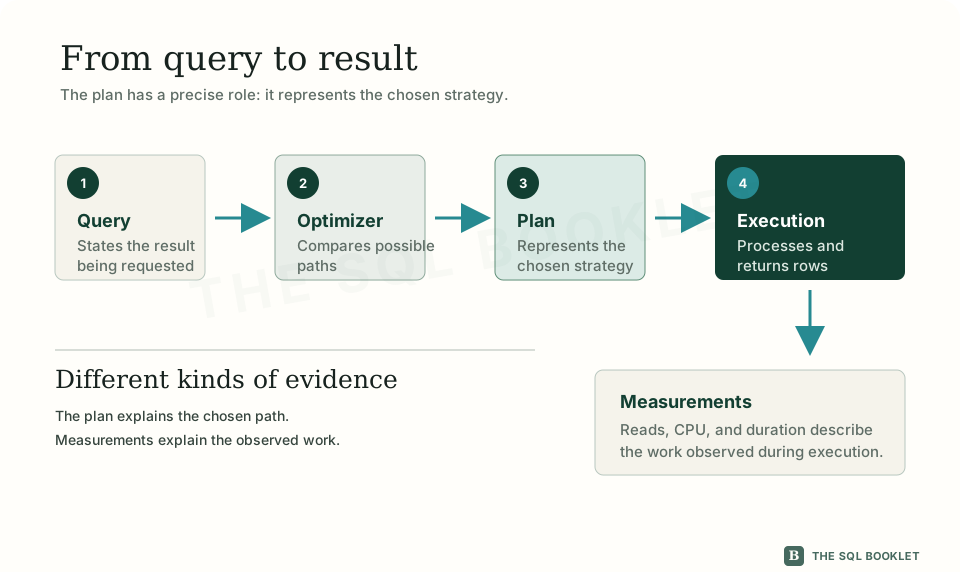
The query describes the result
SQL is a declarative language: we express the result we want, not a complete sequence of physical steps. A statement can request customers with confirmed orders without specifying which index to open first, how to traverse it, or which method should relate the tables.
Declarative means that we describe the objective. The engine remains responsible for choosing a strategy to reach it.
Two queries can return the same rows through different strategies. The same query can also receive another plan when its parameters, data, indexes, statistics, or engine version change.
The optimizer chooses a strategy
Before executing a query, SQL Server uses the optimizer to compare alternatives. This component considers the available structures and estimates the work required by different paths.
Those structures can include tables, indexes, and statistics:
- a table stores rows and columns;
- an index organizes values to support particular access methods;
- statistics describe the approximate distribution of data and help estimate how many rows may satisfy a condition.
The optimizer does not try every possible strategy. It searches for an alternative with a reasonable estimated cost within the time available for compilation.
The plan represents the selected strategy
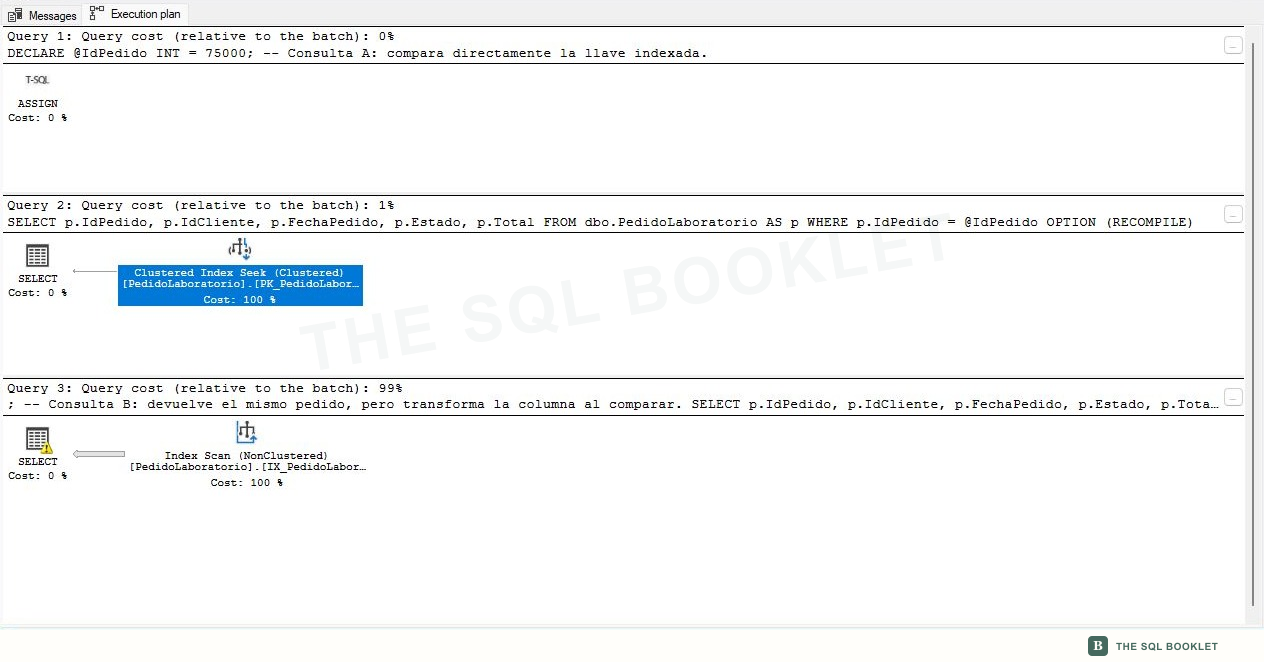
An execution plan represents the operations SQL Server chose to connect in order to produce the result. Each operation receives, obtains, or returns rows.
These operations are called operators. An operator can access a table or index, filter rows, combine sets, sort data, or calculate a value. The plan shows how they relate, but we still need to learn its structure before deciding whether a choice deserves investigation.
Result, strategy, and measurement
It helps to keep three elements separate:
- the result contains the rows produced by the query;
- the plan describes the strategy selected to obtain them;
- measurements record observed work such as reads, CPU, or duration.
A correct result does not prove that the strategy is suitable for every volume or parameter. A plan also does not prove by itself how long an execution took. Evaluating performance requires relating the strategy to measurements captured under known conditions.
What the plan helps us investigate
The plan helps us:
- reconstruct how SQL Server expects to access and process the data;
- recognize the tables, indexes, and operations involved;
- locate estimates or choices that need verification;
- compare strategies before and after a controlled change;
- formulate a more precise question about the work performed by a query.
What it does not prove yet
An isolated plan does not prove that an operation is wrong, that an index must be created, or that the alternative with the lower estimated cost will perform better under every condition.
It also does not justify changing a business query without reviewing parameters, frequency, volume, concurrency, and effects on other operations. The plan contributes evidence for an investigation; it does not replace measurement or context.
Reasonable next check
The next article distinguishes estimated plans, actual plans, and Live Query Statistics. After that, we will study the anatomy of the diagram before working with controlled examples.