
CROSS JOIN, CROSS APPLY and OUTER APPLY: Combine and evaluate rows
These constructions share a word, but solve different needs. CROSS JOIN generates combinations between two sets. APPLY lets us run a tabular expression for each row of the main query. A tabular expression is a query or function whose result has rows and columns, like a table.
The difference matters because a complete combination can grow very quickly, while APPLY is often used to get a correlated result, such as each customer’s latest order. Correlated means that the inner expression uses a value from the row currently being processed by the outer query.
CROSS JOIN: all combinations
If one table contains three categories and another four possible states, CROSS JOIN produces twelve combinations.
FROM dbo.TablaA AS a
CROSS JOIN dbo.TablaB AS b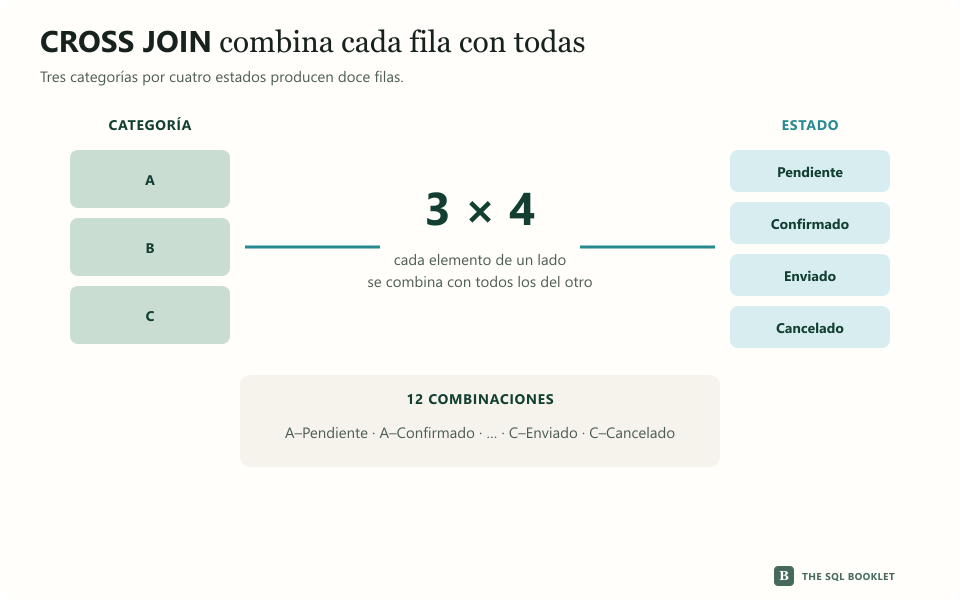
SELECT
    c.Nombre AS Categoria,
    e.Estado
FROM dbo.Categoria AS c
CROSS JOIN
(
    VALUES
        ('Pendiente'),
        ('Confirmado'),
        ('Enviado'),
        ('Cancelado')
) AS e (Estado)
ORDER BY
    c.Nombre,
    e.Estado;
There is no condition ON: each row in the first set is combined with each row in the second. This can be used to build calendars, matrices or combinations that we will later compare with existing data.
CROSS APPLY: Keep results only
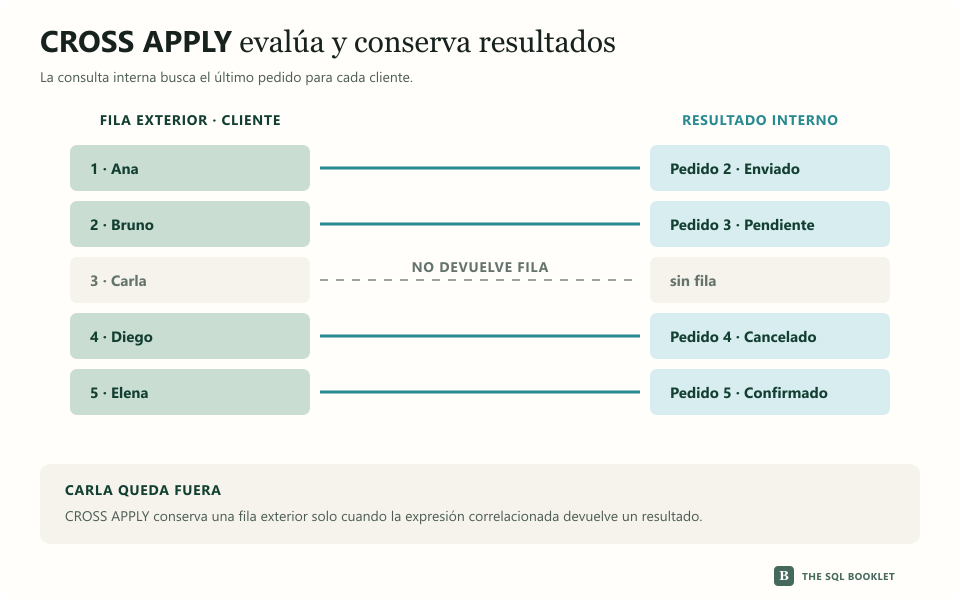
We want to get the most recent order from each customer. The inner query can use the identifier of the outer row:
FROM dbo.TablaExterior AS e
CROSS APPLY
(
    ConsultaCorrelacionada
) AS r
SELECT
c.IdCliente,
c.Nombre,
u.IdPedido,
u.FechaPedido,
u.Estado
FROM dbo.Cliente AS c
CROSS APPLY
(
SELECT TOP (1)
p.IdPedido,
p.FechaPedido,
p.Estado
FROM dbo.Pedido AS p
WHERE p.IdCliente = c.IdCliente
ORDER BY
p.FechaPedido DESC,
p.IdPedido DESC
) AS u
ORDER BY c.IdCliente;The expression u is evaluated for each customer. The outer row is the current Cliente row that feeds that evaluation. CROSS APPLY keeps it only when the expression returns at least one row. That is why Carla, who has no orders, is left out.
OUTER APPLY: also keep empty ones
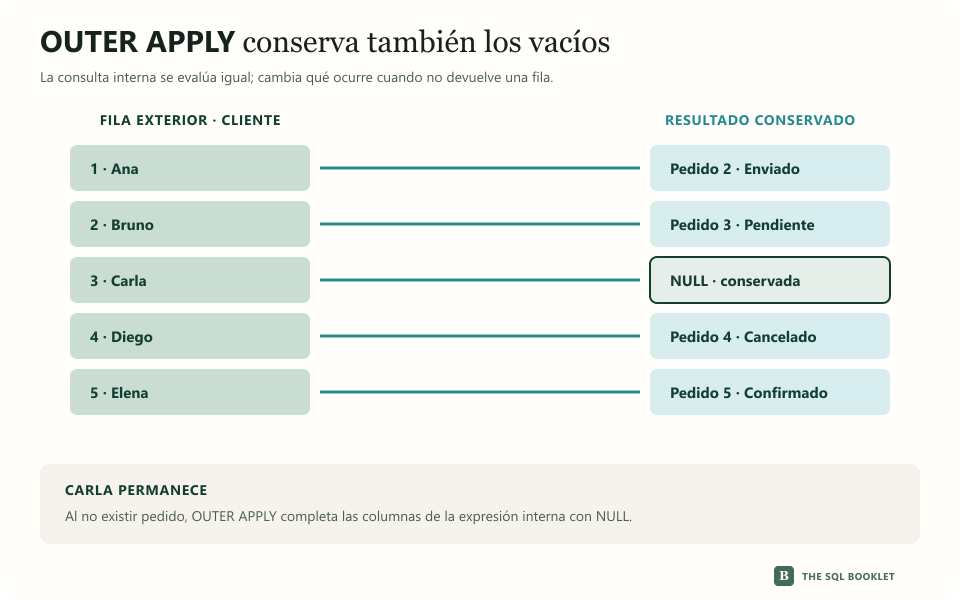
If we change a single word, Carla returns to the result:
FROM dbo.TablaExterior AS e
OUTER APPLY
(
    ConsultaCorrelacionada
) AS r
SELECT
c.IdCliente,
c.Nombre,
u.IdPedido,
u.FechaPedido,
u.Estado
FROM dbo.Cliente AS c
OUTER APPLY
(
SELECT TOP (1)
p.IdPedido,
p.FechaPedido,
p.Estado
FROM dbo.Pedido AS p
WHERE p.IdCliente = c.IdCliente
ORDER BY
p.FechaPedido DESC,
p.IdPedido DESC
) AS u
ORDER BY c.IdCliente;| ClientId | Name | OrderId | State |
|---|---|---|---|
| 1 | Ana Torres | 2 | Sent |
| 2 | Bruno Diaz | 3 | Pending |
| 3 | Carla Ruiz | NULL |
NULL |
| 4 | Diego Soto | 4 | Canceled |
| 5 | Elena Mora | 5 | Confirmed |
OUTER APPLY keeps the outer row even if the expression finds no results and fills the columns of u with NULL, the marker for an absent or unknown value.
What should be checked
Before using CROSS JOIN, we can calculate the expected size by multiplying the number of rows in both sets. A thousand rows combined with a thousand others produce a million results before further filters are applied.
In APPLY, the correlated query is conceptually evaluated for each outer row. An index organizes values to make rows easier to access. The indexes, filter, and order used inside the expression can significantly change its cost.
There are also solutions with ROW_NUMBER for obtaining the latest record in each group. No single form is universally better: compare the execution plan—the strategy chosen by SQL Server—and logical reads—the data pages consulted—using the actual volume.